Identify it. Know its status.
Scan a barcode or search manually to open the tank or regulator record. See entered inspection dates, service information and operational status.
 TRGSTANK & REGULATOR GOVERNANCE SYSTEM
EQUIPMENT CONTROL. WHERE THE WORK HAPPENS.
Tank and regulator management software for dive centres that need to know what’s available, what’s out, and what needs attention.
Android application · Offline first · Built for the equipment team
FROM THE FILL ROOM
TO THE NEXT DEPARTURE.
01 / THE WORKING DAY
Morning fills. Customer collections. The last return of the day. TRGS connects the equipment in front of your team with the records your operation relies on.
Scan a barcode or search manually to open the tank or regulator record. See entered inspection dates, service information and operational status.
Associate equipment with a customer, review the batch and confirm it. Saved drafts let staff pick up where they left off.
Review issued tanks and regulators grouped by customer. Keep the latest recorded location with each item as equipment moves between bases.
02 / THE APP IN YOUR HAND
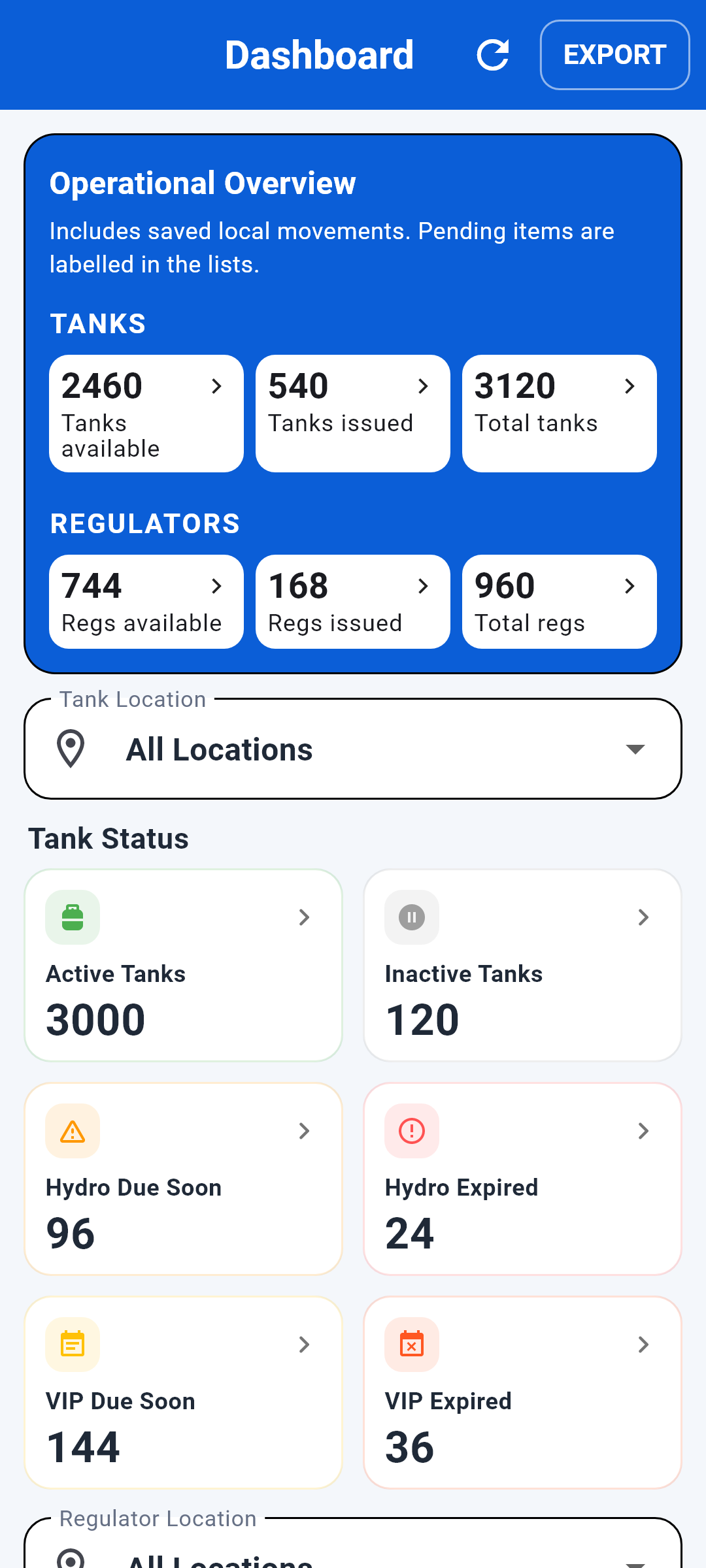
Purpose-built screens for the decisions your team makes around tanks and regulators. Explore the TRGS interface below.
BUILT AROUND THE EQUIPMENT
In the fill station. At the equipment rack. Beside the cylinder. Give staff access to the information while they’re handling the item.
See how TRGS works ↗03 / THE DETAILS THAT MATTER
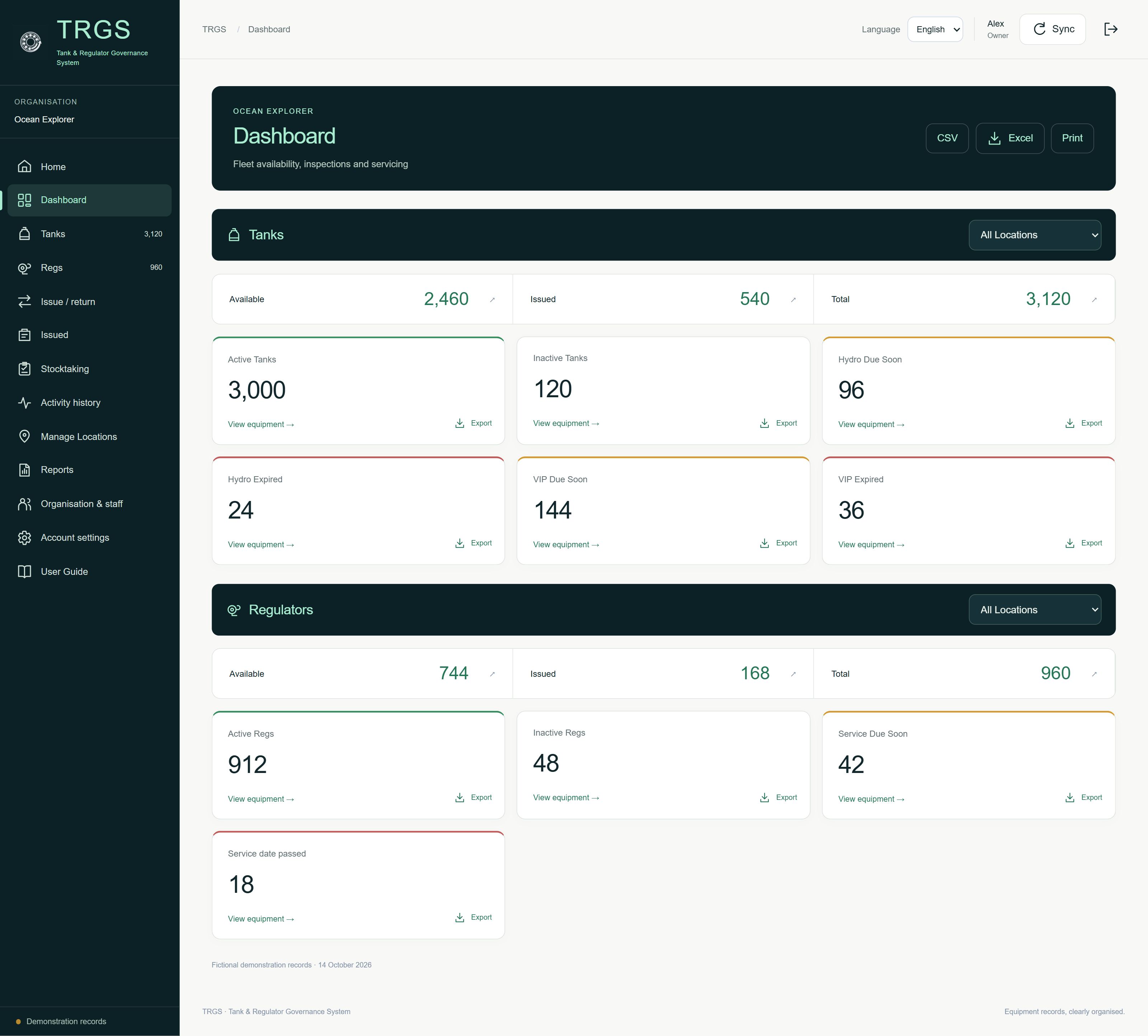
Give managers and technicians a practical way to review the equipment register, spot exceptions and prepare the next action.
INSPECTION & SERVICE
See VIP, hydrostatic test and regulator service dates. Dashboard warnings show entered dates due within 30 days and overdue items.
STOCKTAKE & RECONCILE
Scan tanks or regulators, see present and unaccounted-for items, and review duplicates or equipment outside the selected population.
“Unaccounted for” means not counted, rather than confirmed lost.
EXPORT & REVIEW
Export equipment lists to Excel and stocktakes to CSV. Review asset IDs, dates, statuses, recorded locations and issued-equipment discrepancies.
Explore records & reports ↗04 / BUILT FOR THE REAL WORLD
Create and update equipment records, issue and return gear, run stocktakes and export locally. When a connection is available, synchronise saved changes with your authorised team.
ONE FOCUSED SYSTEM. MANY WORKING ENVIRONMENTS.
AVAILABLE NOW / GOOGLE PLAY
Download TRGS for Android. Create your operational account, add your equipment, and bring the register to the point of work.
Get TRGS on Google Play ↗Questions about your operation? Talk to TRGS ↗TRGS ANDROID SUBSCRIPTION · USD
or US$99 per year Save US$20.88 annually
Free to download. A subscription is required to create a new operational account unless authorised access applies. Final price, local currency and billing terms appear in Google Play.
Yes. Equipment records, issue/return, stocktaking and exports remain available locally. Other devices receive changes after successful synchronisation. Online activity-history searches require a connection.
Authorised staff can work in a shared operational workspace. Each staff member has their own sign-in. Saved local changes become shared after successful synchronisation; conflicts require review.
TRGS stores the latest location entered for each item, with single-item and bulk movement workflows. It does not physically locate equipment using GPS.
Yes. Export tank and regulator lists as Excel workbooks, and download stocktake reports as CSV files for review and sharing.
They highlight approaching dates within the current 30-day warning window and overdue entered dates. TRGS supports operational record control; competent personnel remain responsible for inspection, servicing and compliance. See TRGS Operational Disclosures.